Plans & billing
See where your licence stands, compare plans and renew when you're ready.
Your plan
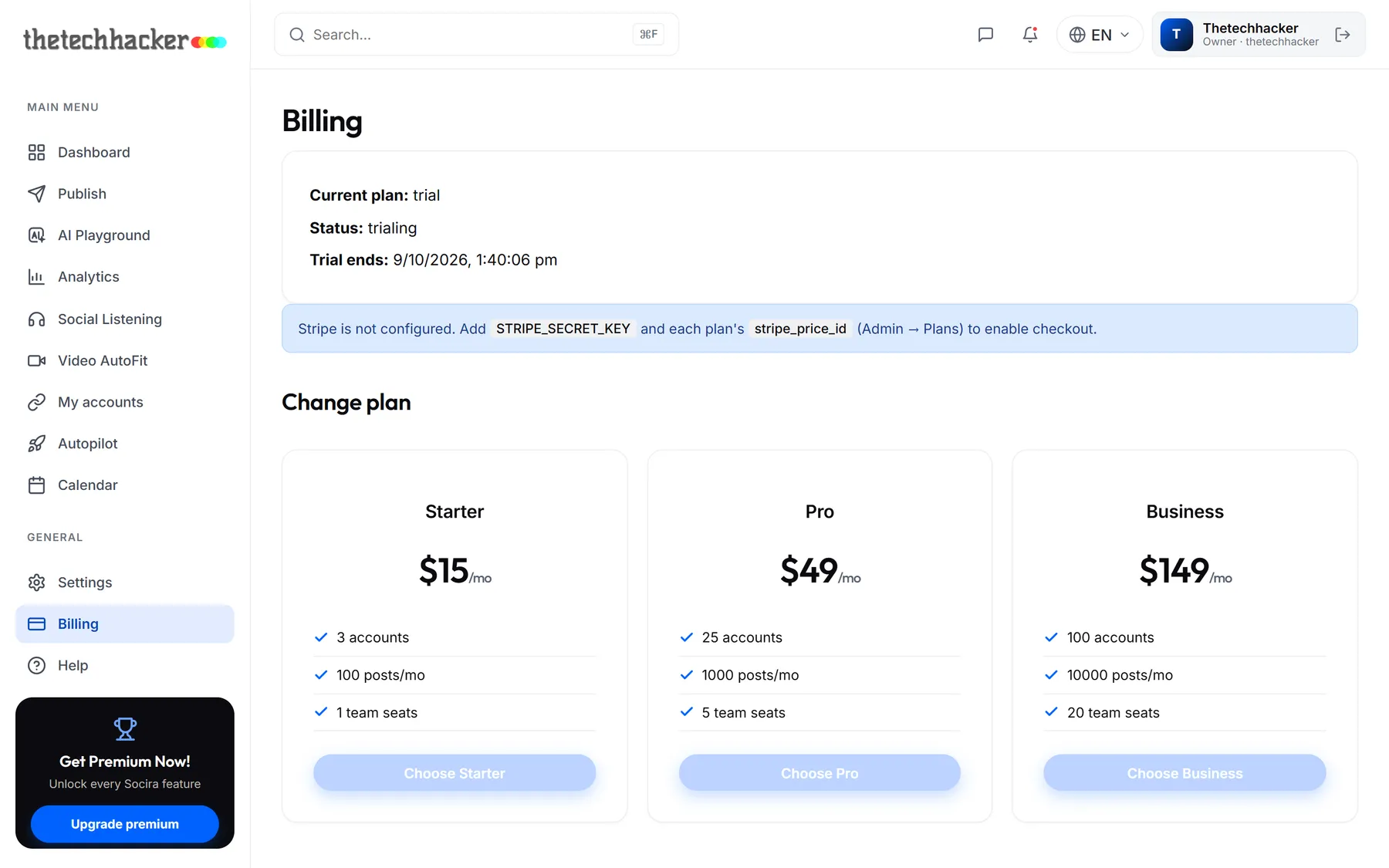
Click Billing in the sidebar to see your current plan, its status and when your licence ends.
What plans change
Plans differ in three ways: how many social accounts you can connect, how many posts you can send each month, and how many teammates you can have. Everything else, from AI to the calendar, is on every plan.
The bar at the top of My accounts shows how close you are to your account limit.
Upgrading
Choose a plan and complete checkout. Your new limits apply straight away, and nothing you've scheduled is lost or moved.
TipLicence ending soon? Renew from Billing any time. After it ends you get a few days' grace before the workspace locks, and nothing is ever deleted.
Was this helpful?
Last updated 26 September 2026