Team & approvals
Bring your team in and review their posts before anything goes live.
Owners and members
Everyone in a workspace is either an owner or a member. Members can connect accounts, write, schedule and publish. Owners can do all of that, plus manage settings like AI keys, branding and the posting schedule.
To add someone to your workspace, ask your Socira administrator. Each person gets their own sign-in, so you always know who did what.
Turn on approvals
If you'd like to check posts before they go out, for a new hire or an agency you've brought in, turn on approvals.
- Open Posting scheduleGo to Publish → Posting schedule.
- Tick the boxUnder Approvals, tick Members' posts need an owner's approval before they're published.
- SaveClick Save schedule. From now on, members see Request approval instead of Add to Queue.
Review posts
Posts waiting for you appear in the Approvals tab, with a count so you don't miss them.
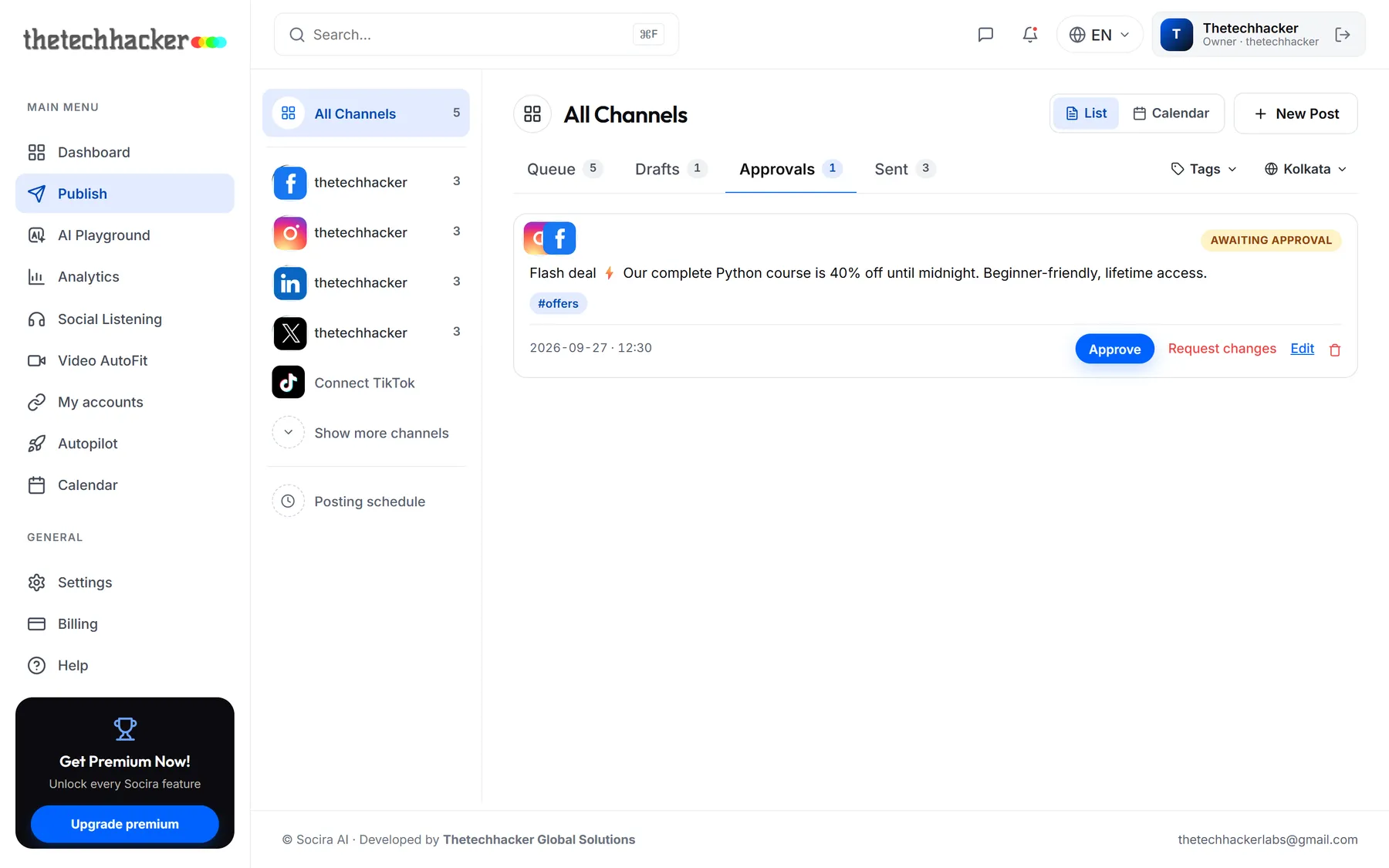
- Approve schedules it for the time it was given. If that time has already passed, it goes out straight away.
- Request changes sends it back to Drafts with your note on top, so your teammate knows exactly what to fix.
Was this helpful?
Last updated 26 September 2026