Write with AI
Connect OpenAI or Claude, then get a solid first draft in seconds.
Connect your AI (owners)
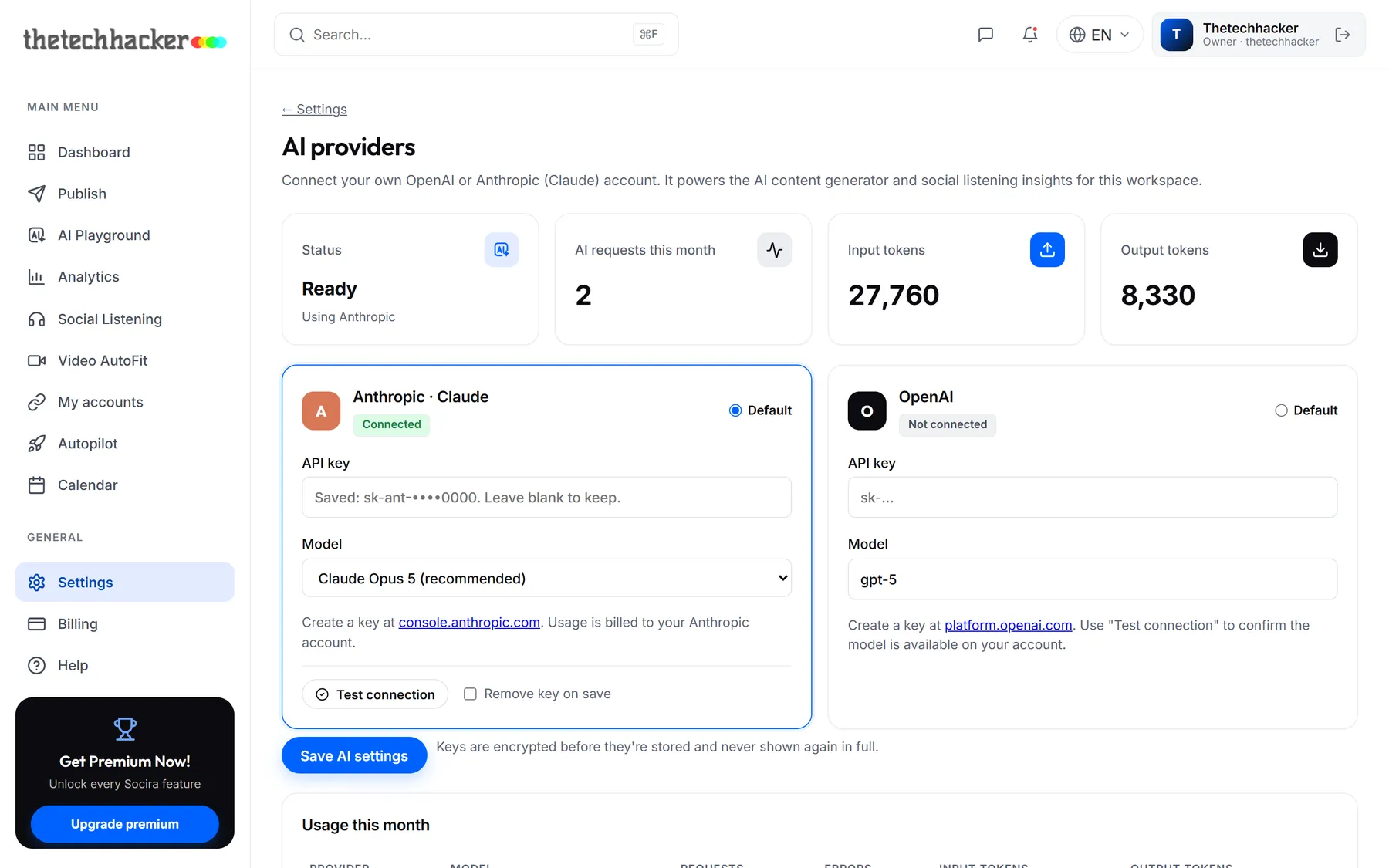
Socira works with your own OpenAI or Anthropic (Claude) account, so usage is billed to you directly and your data stays between you and your provider. A workspace owner sets this up once for everyone.
- Get a keyCreate an API key at console.anthropic.com (Claude) or platform.openai.com (OpenAI).
- Add it to SociraGo to Settings → AI providers, paste the key, pick a model and click Save AI settings.
- Check it worksClick Test connection. It checks the key without using any credits.
The AI Assistant
While you're writing a post, click AI Assistant under the text box. Tell it what you want in plain words, the way you'd brief a colleague: what's happening, who it's for, the tone, anything that must be mentioned.
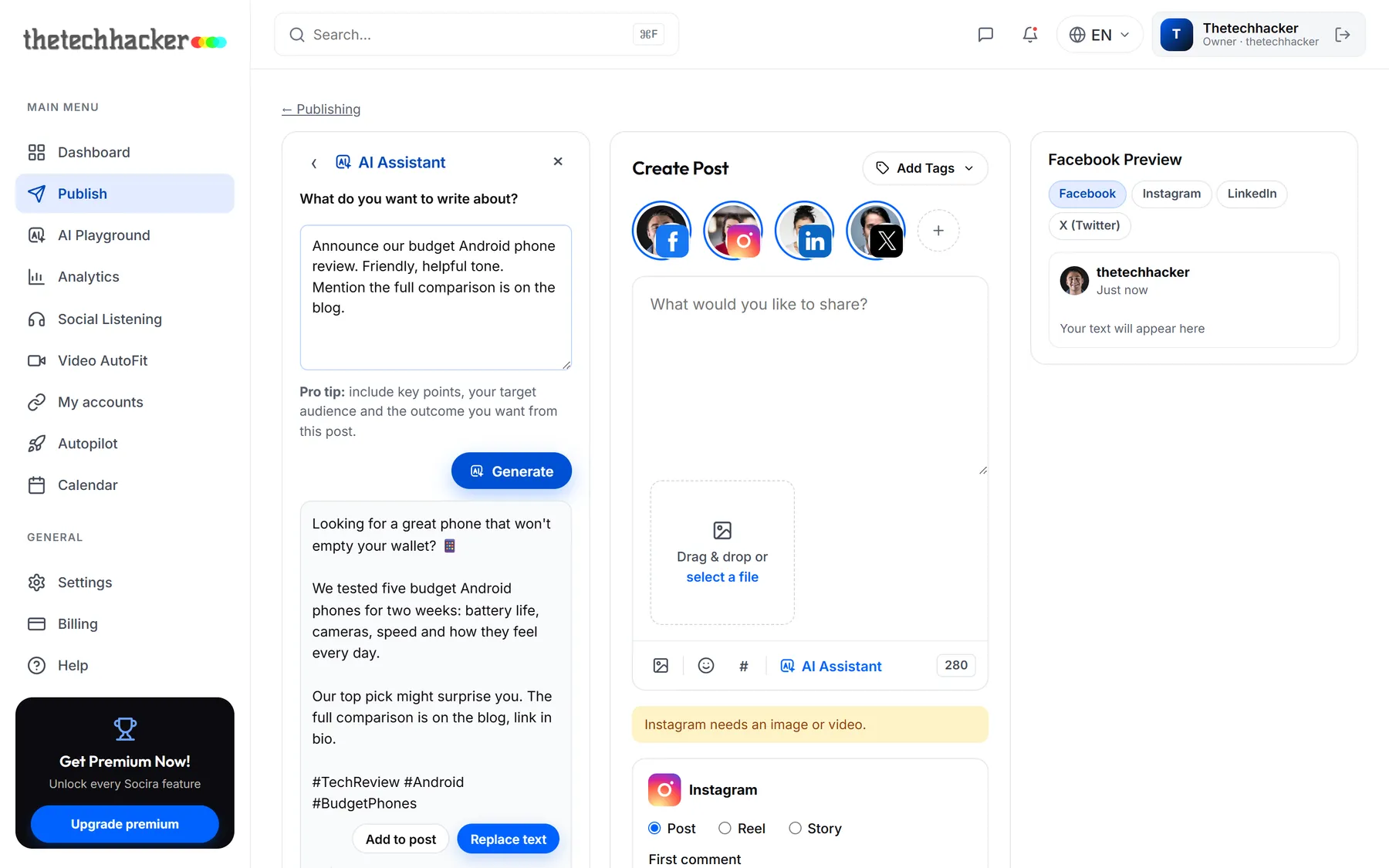
Happy with it? Click Add to post to add it below what you've written, or Replace text to swap it in. Not quite right? Change your request and Generate again.
Several options at once
When you want to compare a few directions, open AI Playground. Pick the network, tone and language, and ask for up to three versions. Each one fits the network's character limit and comes with hashtags and an image idea for your designer.
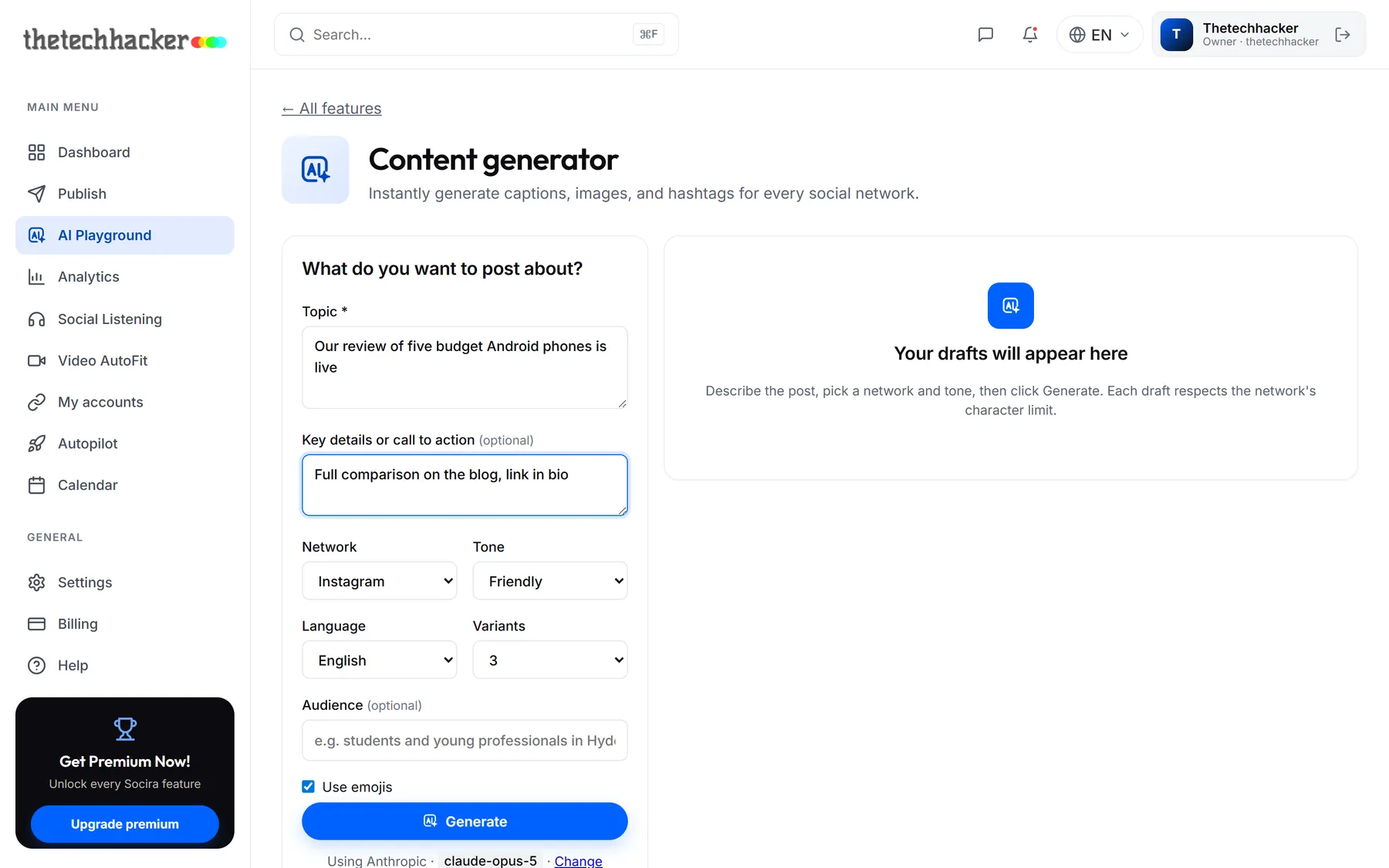
Click Use in post on your favourite and it opens in Create Post, ready to edit and schedule.
A word of caution
Last updated 26 September 2026